
Getting Started#
This guide walks you through the complete setup — from system requirements to launching your first robot control session with WMX R2.
Follow the three pages in order. In Install WMX Runtime you choose the platform that matches your setup — the simulation platform or the EtherCAT platform for a physical robot.
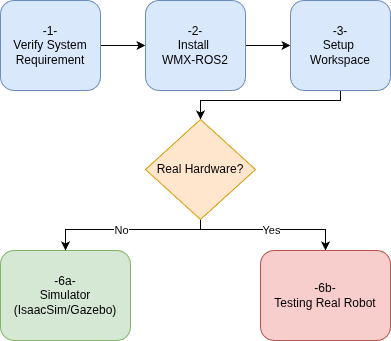
Getting Started — step-by-step flow#
Warning
This guide stops at “the software runs”.
Completing these steps means the WMX runtime, the ROS 2 packages, and the EtherCAT bus are working. It does not mean the robot will move the way you intend. The gear ratios, encoder resolution, joint directions, and home offsets that decide the actual motion still have to be configured and verified, and the safety functions of the robot manufacturer’s original controller are not available once that controller is bypassed.
Before commanding motion on a physical robot, continue with Try Your Robot.